


Choosing a CRM is not simply about finding the platform with the most features.
The right CRM should fit your sales process, team size, budget, and the way your business actually works. A platform that is excellent for a 500-person organization can be completely unnecessary for a five-person sales team.
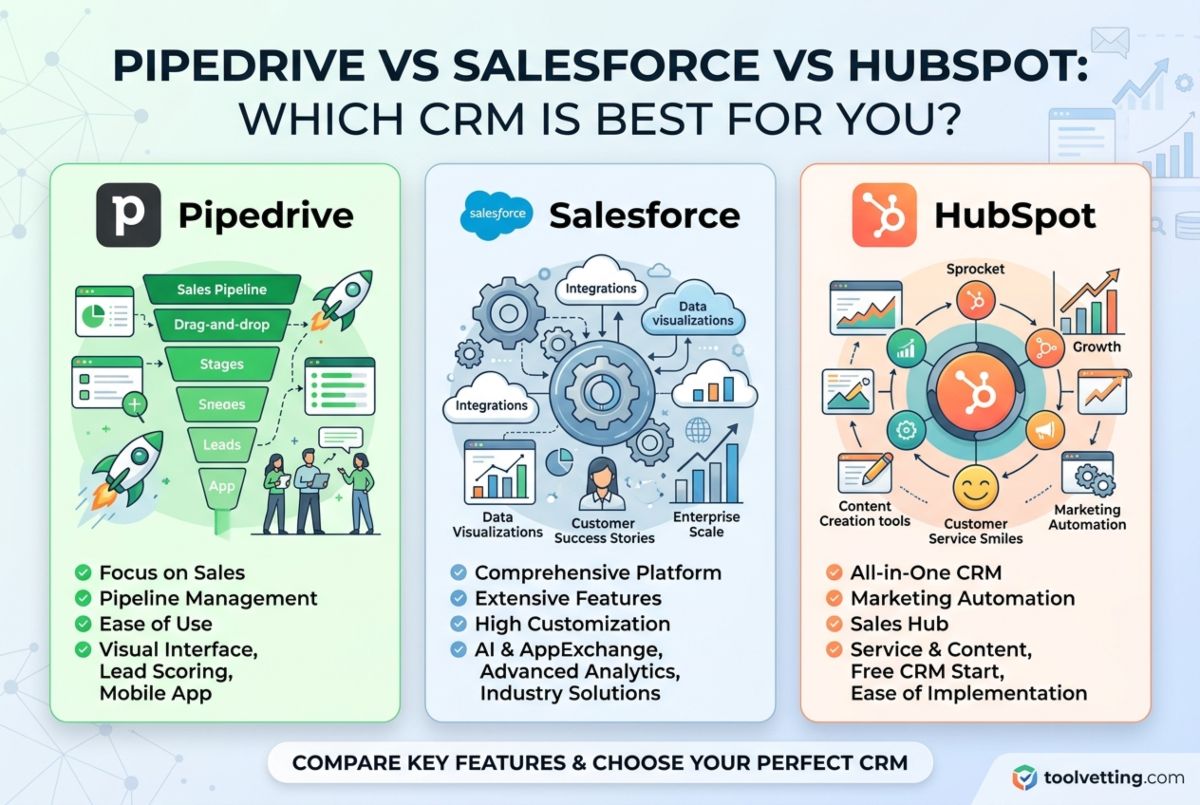
For this comparison, we tested and evaluated three of the most widely used CRM platforms: Pipedrive, Salesforce, and HubSpot CRM.
All three can manage contacts, leads, deals, sales activities, reporting, and automation. But they take very different approaches.
- Pipedrive is built primarily around the sales pipeline and is the simplest of the three to get started with.
- HubSpot takes a broader approach, connecting CRM with sales, marketing, customer service, content, and automation.
- Salesforce offers the deepest customization and is designed for organizations with more complex processes and larger teams.
After comparing their features, usability, pricing, automation, reporting, integrations, scalability, and learning curves, our overall conclusion is:
Pipedrive is the best CRM for sales-focused teams, HubSpot is the best all-in-one CRM for most small and growing businesses, and Salesforce is the best option for complex enterprise requirements.
What is a CRM?
CRM stands for Customer Relationship Management.
A CRM is software that helps businesses organize customer information and manage interactions throughout the sales and customer lifecycle.
Instead of keeping customer information across spreadsheets, email inboxes, notes, and different applications, a CRM creates a centralized system for managing:
- Contacts
- Companies
- Leads
- Sales opportunities
- Deals
- Emails
- Calls
- Meetings
- Tasks
- Follow-ups
- Customer interactions
- Sales forecasts
- Reports
For a small business, the practical benefit is simple: your team can see who the customer is, what has happened, what stage the deal is in, and what needs to happen next.
That is why CRM software has become an important part of modern sales operations.
Pipedrive vs Salesforce vs HubSpot: What We Tested
We approached this comparison from a practical buyer’s perspective rather than simply comparing feature lists.
Our evaluation focused on the areas that matter most when choosing CRM software:
1. Ease of setup
How quickly can a new user understand the platform and start managing deals?
2. Contact management
How effectively does each CRM organize contacts, companies, communication history, and customer information?
3. Sales pipeline
How easy is it to create, customize, and manage sales stages?
4. Automation
Can repetitive sales and administrative tasks be automated without requiring technical expertise?
5. Reporting
Can a manager quickly understand pipeline performance, sales activity, conversion rates, and revenue?
6. Integrations
How easily can the CRM connect with the other tools a business already uses?
7. Scalability
Will the platform continue to work as the business adds employees, customers, processes, and departments?
8. Pricing
Most importantly, what happens to the cost when you move beyond the entry-level plan?
This last point is particularly important because the cheapest CRM at the entry level is not necessarily the cheapest CRM over several years.
1. Pipedrive: Best CRM for Sales-Focused Teams
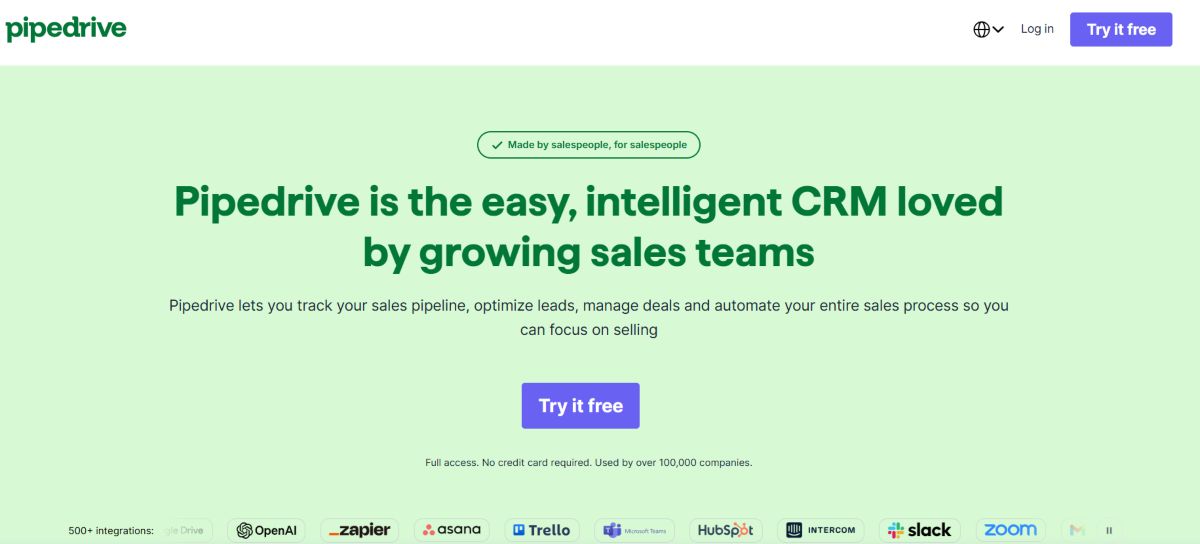
Pipedrive takes the most focused approach of the three.
Its core philosophy is simple: help sales people manage deals and take the next action. The interface revolves around a visual sales pipeline where deals can be moved through different stages.
For example:
New Lead → Qualified → Proposal → Negotiation → Won
This makes Pipedrive particularly attractive to businesses where sales is the primary reason for buying a CRM.
Pipedrive Features
Visual Sales Pipeline
The pipeline is Pipedrive’s biggest strength.
Deals can be viewed visually and moved between stages, making it easy for sales representatives to understand their workload.
You can customize pipeline stages, fields, activities, and deal information around your sales process.
Contact Management
Pipedrive keeps contact and company information connected to deals.
Communication history, notes, activities, and other relevant information can be accessed from customer records.
Activities and Follow-Ups
Pipedrive places significant emphasis on activities.
Calls, meetings, tasks, and follow-ups can be scheduled against deals so salespeople know what action needs to happen next.
This activity-focused approach is one reason we find Pipedrive particularly effective for sales representatives.
Automation
Pipedrive supports workflow automation for repetitive processes.
You can automate activities such as follow-up tasks, notifications, and certain sales workflows depending on your plan.
Reporting
Pipedrive provides dashboards and reports for monitoring sales performance, pipeline activity, conversion rates, and revenue.
Its reporting is easier to understand than Salesforce for most small sales teams, although HubSpot and Salesforce offer greater depth in broader marketing and enterprise scenarios.
Pipedrive Pros
- Excellent visual pipeline
- Very easy to learn
- Fast setup
- Strong sales workflow
- Good activity management
- Useful automation
- Strong mobile experience
- Large integration (500+) marketplace
- Trusted by 100,000 companies in 179 countries
Pipedrive Cons
- No permanent free plan
- Marketing capabilities are less extensive than HubSpot
- Advanced functionality requires higher plans
- Can become limiting for complex multi-department operations
Who Should Choose Pipedrive?
Choose Pipedrive if your primary goal is:
“Give my sales team a simple CRM that helps them close more deals.”
It is particularly suitable for sales agencies, consultants, B2B sales teams, service businesses, and small companies where marketing automation isn’t the main requirement.
Our Pipedrive rating: 9.1/10
2. HubSpot CRM: Best CRM for Small Businesses
HubSpot takes a fundamentally different approach.
Instead of focusing primarily on the sales pipeline, HubSpot connects the CRM with marketing, sales, customer service, content, operations, reporting, and AI.
This makes it our overall winner for most small and growing businesses.
The core CRM can be used for contact management, companies, deals, activities, pipelines, and reporting, while additional HubSpot products provide more advanced capabilities.
HubSpot CRM Features
Contact and Company Management
HubSpot provides detailed customer records where businesses can track contact information, interactions, deals, activities, and other CRM properties.
This becomes particularly useful when sales and marketing teams need to work from the same customer information.
Sales Pipeline
HubSpot provides visual deal pipelines similar to Pipedrive.
Sales teams can create stages, assign deals, track amounts, set expected close dates, and monitor sales activities.
Pipedrive still has an advantage in pure sales-pipeline simplicity, but HubSpot’s pipeline becomes more powerful when connected to its broader marketing and customer platform.
Marketing Automation
This is where HubSpot pulls significantly ahead of Pipedrive.
HubSpot can connect CRM data with forms, email marketing, landing pages, lead capture, marketing automation, and other marketing activities.
That creates a connected customer journey from:
Visitor → Lead → Marketing Qualified Lead → Sales Opportunity → Customer
For businesses where marketing and sales need to work together, this is a major advantage.
Service Tools
HubSpot also provides customer service functionality through Service Hub.
Depending on the plan, businesses can manage tickets, customer conversations, knowledge bases, feedback, and other support workflows.
This makes HubSpot more than a sales CRM.
AI
HubSpot’s Breeze AI ecosystem adds AI capabilities to the CRM and broader platform.
Depending on the subscription, Breeze can assist with content, customer interactions, prospecting, data, and other workflows.
This is increasingly important in 2026 as CRM platforms move from simply storing customer data toward helping teams act on that information.
HubSpot Pros
- Excellent free CRM
- Very good user experience
- Strong sales pipeline
- Deep marketing functionality
- Excellent integrations (supports 2000+ integrations)
- Strong reporting
- AI capabilities
- Customer service functionality
- Large educational ecosystem
- Highly scalable
- More than 299,000 customers in 135 countries
HubSpot Cons
- Advanced plans can become expensive
- Pricing becomes more complicated as requirements grow
- Multiple Hubs can significantly increase total cost
- Advanced AI features can involve usage-based credits
- Can be more CRM than a very small sales-only team needs
Who Should Choose HubSpot?
HubSpot is our recommendation if you need sales and marketing working together.
It is particularly strong for:
- Small businesses
- Startups
- B2B companies
- Agencies
- SaaS companies
- Marketing-led businesses
- Growing sales teams
If you are looking for the best CRM for small business and want a platform that can grow beyond basic sales management, HubSpot is difficult to beat.
Our HubSpot rating: 9.4/10
3. Salesforce: Best CRM for Enterprise and Complex Processes
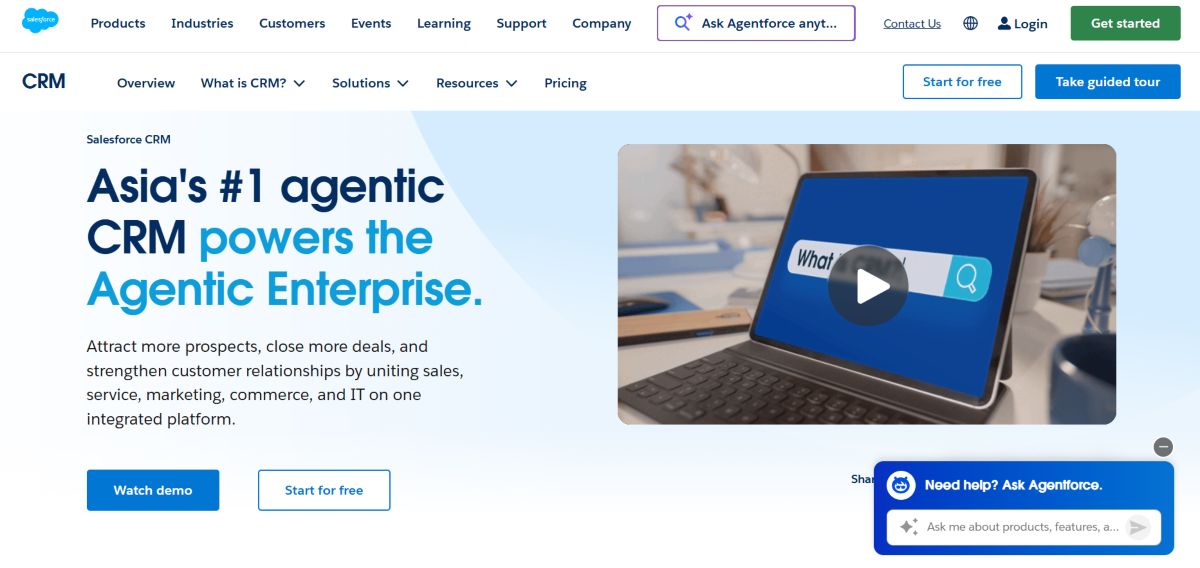
Salesforce is the most powerful and customizable platform in this comparison.
It is also the most complicated. Salesforce can support sales, customer service, marketing, commerce, analytics, automation, AI, and highly customized business processes.
Its enormous ecosystem is another advantage. Salesforce’s AppExchange provides access to a large selection of third-party applications and integrations.
Salesforce Features
Contact and Account Management
Salesforce provides extensive tools for managing contacts, accounts, opportunities, communication history, and organizational relationships.
For large organizations dealing with complex account structures, this level of detail is valuable.
Opportunity Management
Salesforce provides detailed opportunity management for tracking prospects through the sales process.
Sales teams can manage stages, values, forecasts, activities, and other sales information.
Automation
Salesforce’s Flow tools provide extensive workflow automation capabilities.
Businesses can automate processes, approvals, notifications, data updates, and other operational workflows.
Einstein and Agentforce AI
Salesforce has heavily invested in AI through Einstein and Agentforce.
The goal is increasingly to move beyond dashboards and provide AI-powered assistance and autonomous agents that can support sales, service, and other business functions.
This makes Salesforce one of the strongest choices for organizations with advanced AI and automation requirements.
Customization
This is Salesforce’s biggest advantage.
If your organization has a complicated sales process involving multiple departments, approvals, custom objects, complex permissions, or industry-specific requirements, Salesforce provides significantly more customization potential than Pipedrive.
Salesforce Pros
- Asia’s No. 1 Agentic CRM
- Extremely powerful customization
- Enterprise scalability
- Extensive reporting
- Advanced automation
- Strong AI capabilities
- Support 7000+ Integrations
- Supports complex organizations
- Strong mobile platform
Salesforce Cons
- Steepest learning curve
- Implementation can be complicated
- Often requires an administrator or implementation partner
- Higher total cost of ownership
- Pricing can become difficult to estimate
- Excessive for many small businesses
Who Should Choose Salesforce?
Salesforce is best suited to organizations with:
- Large sales teams
- Multiple departments
- Complex approval processes
- Advanced reporting requirements
- Highly customized workflows
- Enterprise-level security requirements
- Complex customer relationships
For a five-person company that needs a straightforward sales pipeline, Salesforce is usually unnecessary.
Our Salesforce rating: 8.7/10
Pipedrive vs HubSpot vs Salesforce: Feature Comparison
| Feature | Pipedrive | HubSpot | Salesforce |
|---|---|---|---|
| Contact management | Excellent | Excellent | Excellent |
| Visual sales pipeline | Best | Excellent | Good |
| Sales automation | Excellent | Excellent | Excellent |
| Marketing automation | Basic/limited | Best | Excellent |
| Customer service | Limited | Excellent | Excellent |
| AI | Good | Excellent | Excellent |
| Reporting | Good | Excellent | Best |
| Customization | Good | Excellent | Best |
| Integrations | Excellent | Excellent | Excellent |
| Ease of use | Best | Very good | Moderate |
| Learning curve | Low | Moderate | High |
| Small-business fit | Excellent | Excellent | Moderate |
| Enterprise fit | Moderate | Excellent | Best |
Pipedrive vs Salesforce vs HubSpot Pricing
Pricing is one area where you should be particularly careful.
The entry-level price doesn’t tell the entire story.
Pipedrive generally has a more straightforward pricing structure and does not offer a permanent free plan.
HubSpot offers a genuinely useful free CRM, but the cost can increase when businesses add advanced Hubs, seats, automation, marketing contacts, and AI capabilities.
Salesforce has a relatively low entry point compared with its more advanced editions, but implementation, additional functionality, and administration can make the total cost significantly higher.
Our pricing Verdict:
Best for;
- Entry-level value: Pipedrive
- Free CRM: HubSpot
- Long-term value for marketing + sales: HubSpot
- Value for complex enterprise requirements: Salesforce can justify its cost when those capabilities are actually required.
Don’t compare these platforms solely by the first advertised monthly price.
Instead, calculate:
Users + required features + automation + integrations + onboarding + AI/usage costs + expected growth
That is your realistic CRM cost.
Which CRM Is Easiest to Use?
Pipedrive wins.
Its visual pipeline and sales-first design make it relatively easy for a new sales representative to understand.
HubSpot is also beginner-friendly at the core CRM level. However, the learning curve increases as you add Marketing Hub, Sales Hub, Service Hub, automation, reporting, and other functionality.
Salesforce has the steepest learning curve.
This isn’t necessarily a weakness.
Salesforce is more complicated because it can support far more complicated business processes.
Our ranking for ease of use:
- Pipedrive
- HubSpot
- Salesforce
Which CRM is Best for Small Businesses?
For most small businesses, we would choose HubSpot or Pipedrive.
Choose HubSpot if sales and marketing need to work together.
Choose Pipedrive if sales is the primary focus and you want the simplest possible pipeline.
Salesforce generally becomes more attractive as organizations become larger and their requirements become more complex.
This conclusion also supports our broader Best CRM for Small Businesses ranking, where HubSpot is our #1 overall recommendation.
[Read our full Best CRM for Small Businesses comparison →]
Which CRM is Best for Sales Teams?
If you run a sales-only team, Pipedrive is our first choice.
Its entire interface is designed around moving deals through the pipeline and completing sales activities.
HubSpot is a close second and becomes the stronger option if marketing will eventually become an important part of your customer acquisition strategy.
Salesforce is better for sales teams operating inside complex enterprise environments.
Our ranking:
1. Pipedrive: Sales simplicity
2. HubSpot: Sales + marketing
3. Salesforce: Complex enterprise sales
Can HubSpot Replace Salesforce?
For many small and mid-sized businesses, yes.
HubSpot can handle CRM, sales, marketing, service, reporting, automation, and AI without requiring the level of customization that Salesforce typically demands.
However, replacing Salesforce with HubSpot isn’t automatically the right decision.
Large organizations with complicated workflows, custom objects, multiple business units, complex approvals, and specialized requirements may still benefit from Salesforce’s deeper configurability.
Think of it this way:
HubSpot: easier to implement and broader out of the box.
Salesforce: deeper customization for complex organizations.
Pipedrive vs Salesforce vs HubSpot: Which One Should You Choose?
Ask yourself three questions.
1. How large is your team?
If you’re under 10 users, Pipedrive and HubSpot are usually the first platforms we’d evaluate.
If you have a much larger organization, Salesforce becomes more relevant.
2. Do sales and marketing need shared customer data?
If yes, choose HubSpot.
This is one of HubSpot’s biggest advantages.
3. How complicated is your sales process?
If it’s straightforward:
Pipedrive.
If sales and marketing are connected:
HubSpot.
If you have complex approvals, multiple departments, advanced customization, or enterprise requirements:
Salesforce.
Our Final Verdict
There isn’t one CRM that wins every category.
Each platform is built around a different philosophy.
🥇 HubSpot: Best Overall
HubSpot is our overall winner because it provides the best balance between CRM functionality, ease of use, marketing, sales, automation, integrations, and scalability.
It is particularly strong for small and growing businesses that want one platform instead of stitching together multiple tools.
🥈 Pipedrive: Best for Sales
Pipedrive wins when the primary job of your CRM is managing a sales pipeline.
It is easier to learn, faster to set up, and exceptionally good at helping sales representatives understand what they need to do next.
🥉 Salesforce: Best for Enterprise
Salesforce wins on customization, scalability, and complexity.
If your organization needs a CRM that can be shaped around highly specialized business processes, Salesforce is the strongest choice here.
But those capabilities come with a higher learning curve and potentially higher implementation costs.
Final Scorecard
| CRM | Best For | Ease of Use | Customization | Marketing | Sales | Overall |
|---|---|---|---|---|---|---|
| HubSpot | Small & growing businesses | 9.5 | 9.0 | 10 | 9.5 | 9.4/10 |
| Pipedrive | Sales teams | 10 | 8.5 | 7.5 | 10 | 9.1/10 |
| Salesforce | Enterprise | 7.0 | 10 | 9.5 | 9.5 | 8.7/10 |
Frequently Asked Questions (FAQs)
What is the best CRM overall?
There is no universal winner, but for most small and growing businesses we recommend HubSpot. Pipedrive is better for sales-focused teams, while Salesforce is better for complex enterprise organizations.
Which CRM is best for sales teams specifically?
Pipedrive is our top choice for sales-focused teams because its interface is centered around the sales pipeline and activities. HubSpot is the better choice when sales and marketing need to work closely together.
What is the easiest CRM to use?
Pipedrive is the easiest of these three to learn. HubSpot is also relatively beginner-friendly at the core CRM level, while Salesforce has the steepest learning curve.
Which CRM is best for small businesses?
For most small businesses, we’d shortlist HubSpot and Pipedrive. HubSpot is better if marketing and sales need to share data, while Pipedrive is better for straightforward sales management.
Is Pipedrive cheaper than HubSpot and Salesforce?
Generally, Pipedrive has a lower and more predictable entry cost than many comparable configurations of HubSpot or Salesforce. However, the actual cost depends on users, plans, add-ons, automation, and other requirements.
Does HubSpot have a free CRM?
Yes. HubSpot offers a free CRM tier with core CRM functionality. This is one of the main reasons we consider it a strong option for small businesses.
Can HubSpot replace Salesforce?
For many small and mid-sized organizations, yes. Salesforce remains the stronger option when a business requires deep customization, complex workflows, and enterprise-level CRM administration.
Should a small business choose Salesforce?
Usually not unless it has genuinely complex requirements. For most small businesses, HubSpot or Pipedrive provides a faster and simpler implementation.
You May Like To Read:
- 10 Best CRM for Small Businesses in 2026
- 5 Best CRMs For Real Estate in 2027
- Top 5 CRMs for Sales Team
