
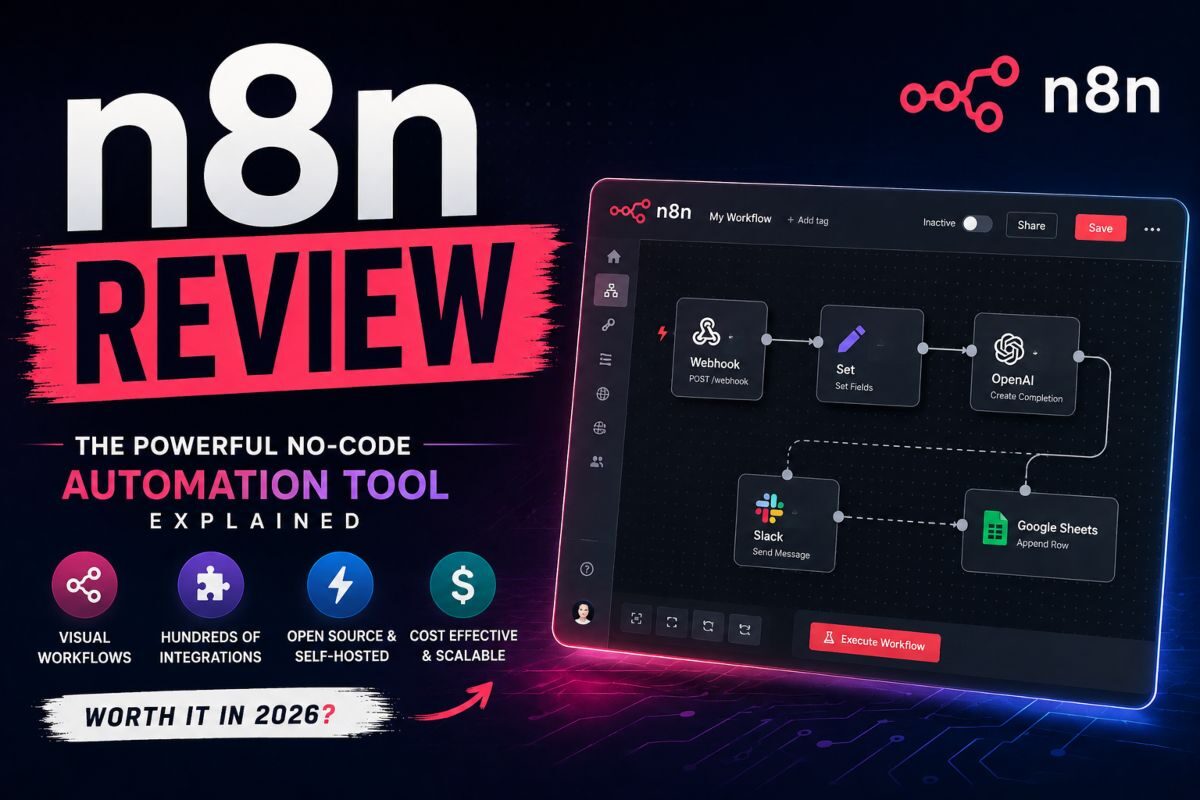

If you have spent any time looking at AI automation tools you have probably seen n8n pop up. People in developer groups often talk about n8n all the time. However n8n is not like Zapier or Make and you should know that difference before you decide to use n8n.
n8n is a workflow automation platform that uses a visual editor with different nodes. You connect your apps and services by dragging nodes onto a canvas and linking them up. It is different from most no code tools because n8n lets you add your own JavaScript or Python code.
If the built-in nodes do not do what you want, then that is the idea of n8n. You get the speed of no code. When you want it but you also get the full control of code when you need it.
What n8n Actually Does?
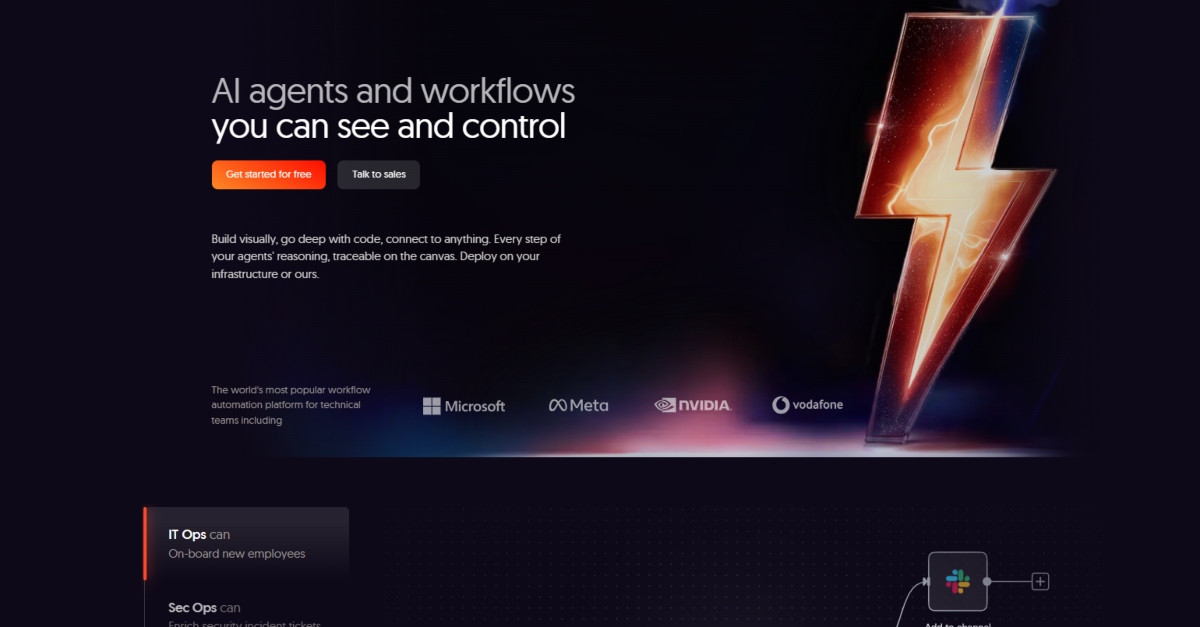
At its heart n8n automates boring and repetitive tasks between apps. Imagine a new lead fills out a form on your website.
It can push that lead into your CRM send an alert to Slack and add a new row to a spreadsheet. You do not have to touch anything at all. That is the basic way n8n works.
What makes n8n truly special is how more you can do with n8n. You can use branching logic fix errors, run loops make custom API calls and use AI agent nodes that talk to language models, in the middle of an n8n workflow.
The n8n platform connects to different apps and services right away. If you cannot find the app you need you can still make it work using an HTTP request node or a little bit of code. This kind of freedom is the reason why developers choose n8n instead of tools that are much harder to change.
Read: 10 Best CRM for Small Businesses
Open Source, But Not Quite Free-for-All
n8n runs on a fair-code license. The source is open and you can self-host it for free, but there are limits on reselling it as a competing hosted service. For nearly everyone building internal automations, that distinction would not matter, you get the free self-hosted version either way.
Self-hosting means installing n8n on your own infrastructure, whether that’s a small cloud server or an internal machine, and it typically involves setting up a Docker container alongside a database.
It takes some comfort with servers, but it’s not an advanced setup. Once it’s running, a self-hosted instance comes with no execution caps, no user limits, and access to every available node, a meaningful difference from most SaaS automation tools that gate features behind pricing tiers.
N8n Pricing: Where it gets Genuinely Interesting
This is the part that usually confuses people. N8n bills in a way that’s very different from other tools like Zapier or Make.com
Zapier counts every step as a task. n8n counts every operation. However, n8n counts a workflow run as just one single execution. This means if you have a ten-step workflow that runs one thousand times you only use one thousand n8n executions. You do not use ten thousand. I think this n8n pricing model is much better once your workflows start getting longer.
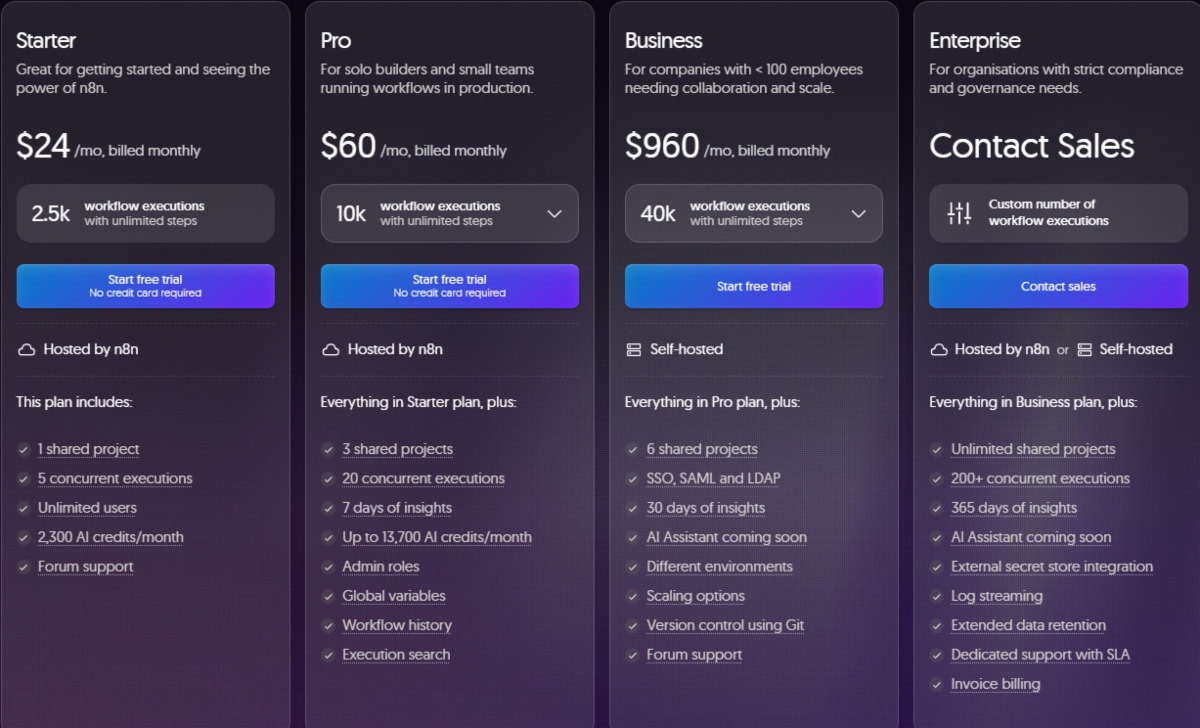
If you use the cloud version n8n has a few plans. The Starter tier is $20 a month. The Pro tier is $50 a month. There is also a self-hosted Business plan for teams and they have custom Enterprise pricing for even larger groups. You can save money if you pay for a whole year at once instead of paying month to month.
For most people looking at n8n, the self-hosted option is what really matters. You can run the Community Edition on a simple cloud server for as little as $20 a month total.
A Zapier setup that does the thing might cost you several hundred dollars. This huge price gap is why many developer teams pick n8n over the famous alternatives.
One thing to keep in mind: n8n does not have a plan that stays free forever, on their cloud. If you want to test n8n before you pay for it you are using a trial. You cannot get a free tier on their hosted service anymore.
Pros and Cons
| Pros | Cons |
| ✓ Free, unlimited self-hosting with the full integration catalogue a real cost advantage over Zapier or Make | ✕ Steeper learning curve than Zapier or Make, especially for non-technical users |
| ✓ Bills per workflow execution, not per step, so a 40-step workflow still counts as one run | ✕ Self-hosting requires comfort with Docker, servers, and basic DevOps maintenance |
| ✓ Native code nodes (JavaScript/Python) give developers far more control than pure no-code tools | ✕ Cloud execution limits can be consumed quickly by frequent polling-style workflows |
| ✓ Strong native AI and agent building nodes, including local LLM support via Ollama | ✕ The jump from Pro to Business cloud pricing is a steep cliff for growing teams |
| ✓ Real-time execution preview shows sample data at every node as you build | ✕ Smaller integration catalogue than Zapier’s, though still substantial at 500+ apps |
| ✓ Open-source core with an active community and a large template library | ✕ Debugging complex multi-branch workflows can get messy without careful structuring |
| ✓ Fine-grained control over branching, looping, and error handling | ✕ Community support is strong but less formal than Zapier’s enterprise-grade SLAs |
The AI Angle
n8n has leaned hard into AI over the past couple of years. It ships with nodes for connecting to language models, building agent-style workflows, and chaining AI calls together with the rest of your automation logic, you can. For example, have an incoming email get summarized by an LLM, classified. And routed to the right team, all inside a single n8n workflow.
There’s also a built-in AI assistant that can generate a starting workflow from a plain-language prompt, which helps flatten the initial learning curve. That feature runs on a separate credit system rather than being unlimited. So, heavy users of the AI builder should check current limits before assuming it’s included at no extra cost.
Who n8n is Actually Good For?
n8n rewards people who are comfortable, or at least willing to get comfortable, with a bit of technical setup. If you can write basic JavaScript, understand JSON, and don’t mind occasionally reading documentation to solve an edge case, you’ll get enormous value out of it. Marketing ops teams, RevOps teams, indie developers, and internal tooling teams all use it well.
If you want something you can open, click through a wizard, and never think about infrastructure again, n8n’s self-hosted advantage stops mattering as much, and a simpler tool might serve you better.
Where It Falls Short
The learning curve is real. The visual editor is intuitive for simple chains, but debugging a complex workflow with branching logic and error handling takes practice. Self-hosting also means you are responsible for updates, backups, and uptime—n8n would not do that for you unless you are paying for the managed cloud.
The integration catalogue, while large, still is not as deep as Zapier’s in a few niche categories, so it’s worth checking that your specific apps are well supported before switching over entirely.
n8n vs. Zapier vs. Make vs. Gumloop
n8n sits at the technical, cost conscious end of the automation spectrum. Here’s how it compares to the platforms its most often weighed against.
| Tool | Automation Model | Pricing Feel | Best For | Self-Host |
| n8n | Node-based workflow engine + AI agents | Free self-hosted, or execution-based cloud | Developers wanting full control and ownership | Yes |
| Zapier | Trigger-action Zaps + Central AI agents | Premium, scales with tasks | Broad app coverage, non-technical users | No |
| Make | Visual scenario builder | Lower cost per operation | Complex, branching automations on a budget | No |
| Gumloop | AI-native agents + visual flows | Credit-based | AI-heavy research and document workflows | No |
| Active pieces | Visual builder, open-source core | Per-flow, budget-friendly | Teams wanting predictable automation costs | Yes |
The Bottom Line
n8n earns its reputation as the go-to automation tool for technical teams. The execution-based pricing model and the option to self-host for close to nothing, make it dramatically, cheaper than the competition.
Once your workflows get any real complexity, and the ability to drop into code. Whenever the visual builder hits a wall is something most competitors simply do not offer.
If you have some engineering capacity on your team, or you have a solo builder who does not mind a Docker command. n8n is one of the best automation investments you can make.
If you need something entirely hands-off with zero setup, its worth trying. Before you assume it’s the right fit, but for most people willing to put in a bit of initial effort, it pays for itself fast.
Frequently Asked Questions (FAQs)
Is n8n really free?
The self-hosted Community Edition is free software with unlimited workflows and executions. You only pay for the server it runs on, typically $5–7/mo. on a basic VPS. n8n Cloud, the fully managed option, is a paid subscription starting around $20–24/mo.
Do I need to know how to code to use n8n?
No, most workflows can be built entirely with the visual node editor. Coding knowledge becomes useful once you want custom logic beyond what the built-in nodes offer, but it’s an option, not a requirement.
How does n8n’s pricing compare to Zapier?
n8n bills by workflow execution (one charge per full run, regardless of steps), while Zapier bills by individual task (each step counts separately). For workflows with several steps, that difference alone can make n8n meaningfully cheaper at the same volume and self-hosting removes the usage-based cost entirely.
Can n8n build AI agents, not just simple automations?
Yes. n8n includes native nodes for major LLM providers and a dedicated agent-building framework that supports multi-step reasoning, tool use, and memory, it’s increasingly used specifically for building AI agents, not just connecting apps.
Is self-hosting n8n hard to set up?
Basic self-hosting via Docker typically takes 30–60 minutes for someone with light server experience. It’s not a huge lift, but it does require more comfort with infrastructure than simply signing up for a cloud account.
Final Verdict
n8n earns its reputation as the automation tool power users graduate to. It trades some of the beginner-friendliness that makes Zapier so approachable for real control over logic, data, and cost and for teams willing to invest a bit of setup time, that trade almost always pays off, especially once workflows get complex or expensive to run elsewhere. The AI agent capabilities are a genuine strength too, not an afterthought bolted onto the platform.
If your team is technical, cost-conscious, or building anything AI-agent-heavy, n8n deserves a serious trial starting with the free self-hosted Community Edition costs nothing but a bit of setup time. If you need the absolute simplest onboarding and don’t mind paying a premium for it, Zapier remains the safer starting point.
You May Like To Read:
- Make.com Review: Features & Pricing
- Zapier Review: Features & Pricing
- Gumloop Review: Features & Pricing
