

If you have spent any time researching AI meeting assistants in 2026, you have likely hear about Fathom AI, the one that’s actually free.
While competitors like Otter.ai and Fireflies.ai have leaned heavily on AI Credit system and restrictive storage caps, Fathom has doubled down on its reputation as the most useful tool for individuals users.
But in a market where enterprise grade meeting intelligence tools are dominated, is Fathom being “free” enough to stay competitive?
In this vetted review, we look at the Fathom’s 2026, its unique features i.e. No-Bot recording and where exactly they the drive line between free and paid. So, lets read the Fathom AI review in detail.
What is Fathom AI?
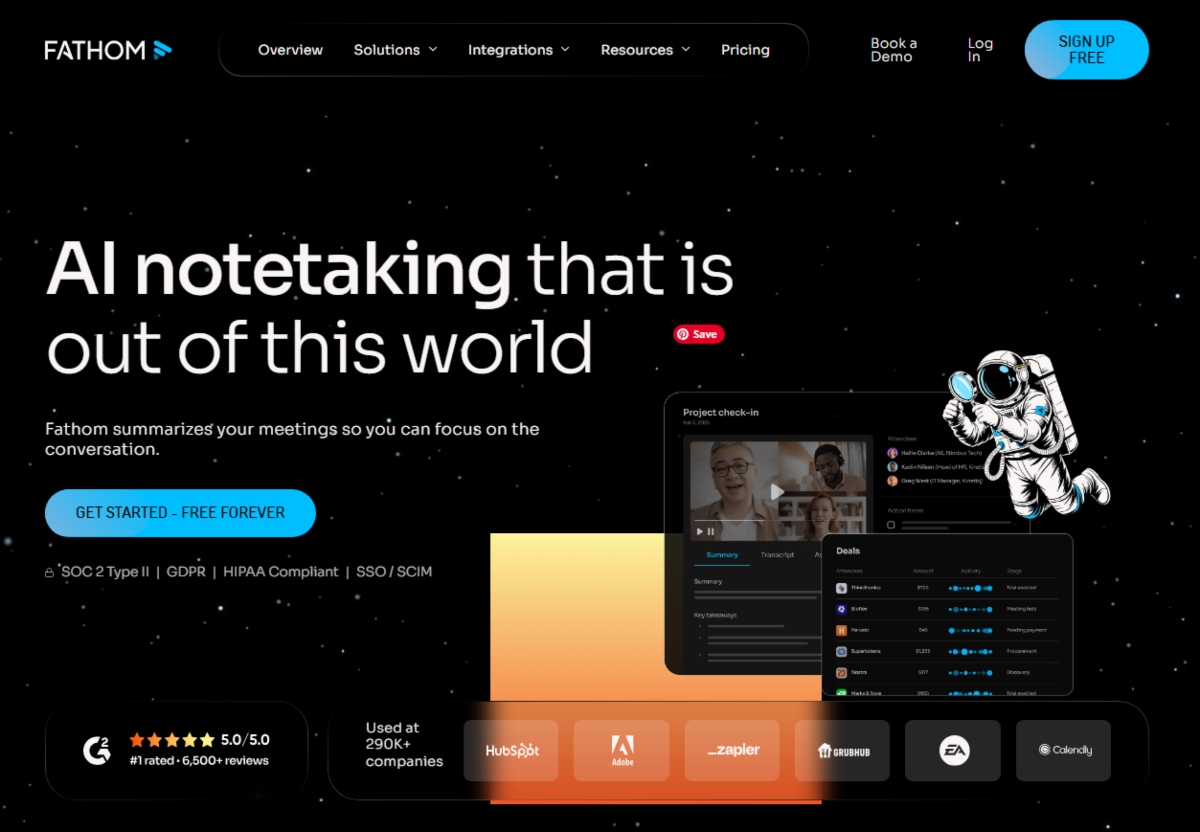
Fathom is one of the best AI meeting tools an AI meeting assistant records, transcribes and summarizes meetings for Zoom, Google Meet, and Microsoft Teams.
Unlike many 2026 meeting notetakers that feel like complex data platforms, Fathom AI focuses on zero-friction productivity.
Its goal is simple. Ensure you never have to take a manual note again while keeping your focus on entirely on the person you are speaking with.
Fathom AI Key Features & Specifications 2026
Here are some unique features of Fathom AI:
1. Ask Fathom (Meeting Search)
Similar to Fireflies “AskFred”, Ask Fathom allows you to query your entire meeting library. You can ask “What was the feedback from the marketing team last Tuesday?” and it will put the exact clip and text.
2. AI Scorecards (New in 2026)
Fathom has introduced AI Scorecards for its Team/Business users. This feature automatically scores a call based on predefined criteria. It is perfect for sales who want to ensure their reps are asking the right discovery questions with manually listening to every recording.
3. Instant Highlights and Sync
Fathom provides a small sidebar during a live call. Once click “highlights” a moment and by the time you hang up that highlight is already formatted into a summary and synced to your Asana, Notion or Slack.
4. Fathom Integrations
Fathom can integrate with range of tools including but not limited to Asana, Slack, HubSpot, Salesforce, Google Meet, Zoom, Microsoft Teams, Zapier, Relay.app and many more. You can check here https://www.fathom.ai/integrations
How Fathom AI works?
Fathom does not just record your audio, it acts as a silent participant that layers directly on your existing meeting software. Unlike tradition recording tools that require you to upload a file after the fact, Fathom works in real time.
Here is a step by step guide of how Fathom works:
1. The Auto-Join Calendar Sync
Once you connect your Google or Outlook calendar, Fathom’s AI monitors your schedule. Based on your settings, it will automatically arrive at your Zoom, Google Meet or Microsoft Teams link a few seconds before the start time.
You can also set rules to only join meetings with external guests (i.e. for sales purpose) or only internal team syncs to keep your library clean.
2. Real time Capture (Bot vs. Desktop App)
Fathom uses two primary methods to hear your meeting. First one is meeting bot while second one is Desktop App or Browser Extension.
If you opt meeting bot, a visible participant “Fathom Notetaker” joins the call and this is the most reliable method for ensuring high-quality audio capture across all platforms.
On the other side, you can also opt Desktop App if you are concerned about privacy. In this method, Fathom app automatically capture system audio directly from your computer without joining your meeting. However, Fathom browser extension often run as side app on Zoom and Google Meet.
3. Live Highlighting
While the meeting is happening, a small Fathom control panel sits on your screen. if someone says something important, you click a Highlight button or use a keyboard shortcut.
Fathom marks that specific timestamp. When the meeting ends, the AI prioritizes these “human-marked” moments to build a more accurate summary than a standard “AI-only” recap.
4. Instant Transcription & NLP Processing
As soon as the “Leave Meeting” button is pressed, Fathom’s Natural Language Processing (NLP) engine kicks in. Because it has been transcribing in the background, it does not need to upload a massive file.
In our tests, the full transcript and summary are usually ready in under 30 seconds.
5. Ask Fathom & CRM Automation
The final step is where the intelligence happens. Fathom takes the raw text and passes it through its specialized LLM (Large Language Model) to categorize action its action items. It looks for verbs like “I will”, “Can you”, and “Let’s Schedule”/
Similarly, If you have the premium / team tier, it automatically maps these notes to the correct lead or deal in Salesforce or HubSpot using the participants’ email addresses as the unique identifier.
What We Like About Fathom AI (Pros)
- Free Plan: You can beat Fathom unlimited free plan. It remains the highest-value tool for individual users.
- Invisible Recording: Fathom’s 2026 Desktop app and Chrome Extension allow for a bot-less experience, meaning you don’t always have to have an AI Assistant participant visible in your meeting.
- Ease of Use: The UI is significantly cleaner and less cluttered than Fireflies.ai. It’s designed for the average user not just data scientists.
- Security: Fathom is SOC2, GDPR and HIPAA compliant, making it safe for sensitive industries.
What We Don’t Like About Fathom AI (Cons)
Team Pricing is Steep: While the individual tier is free, the Team Edition ($19 – $24/mo) is comparable to Fireflies’ Business Plan but offers fewer native integrations. Fireflies has 200+ while Fathom has about 30 only.
Limited Advanced Analytics: If you want deep “Conversation Intelligence” (like speaker talk-time ratios or specific sentiment trends over months), Fathom’s free version is bit thing compared to MeetGeek.
Zoom Bias: While it works with Microsoft Teams and Meet, Fathom’s smoothest experience is still on Zoom, where it originated.
Fathom AI Pricing 2026
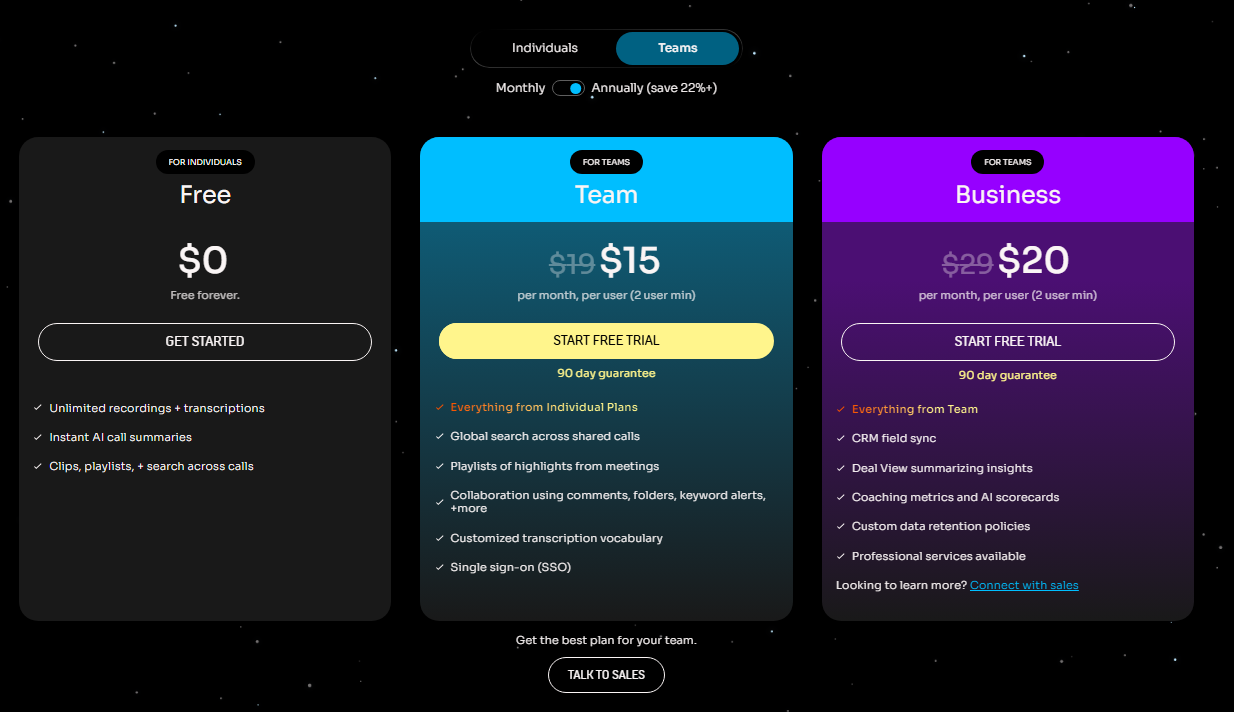
They offer three plans.
- Free Plan: You can do unlimited recordings, summaries and storage with $0.
- Premium Plan: It incudes all Free Plan features. However, additionally you get CRM Sync options and AI Scorecards. This plan is $19/mo.
- Team Edition: It includes all Premium Plan features along with Team Folders, Admin Controls, and Deal Views.
Fathom AI Competitors
While Fathom is the leader for individuals on budget, several competitors dominate specific niches like CRM depth, privacy or enterprise analytics in 2026.
1. Fireflies (The Integration Powerhouse)
2. Otter.ai (The Collaboration King)
3. tl;dv (The Sales Specialist)
4. Granola (The Invisible Notetaker)
5. Read AI (The Analytics Leader)
Here is the brief comparison between Fathom AI competitors:
| Tools | Core Strength | Free Plan | Best Platform |
| Fathom | Simplicity & Individual Value | Unlimited | Zoom / Meet / Teams |
| Fireflies | Integrations & CRM | Limited Credits | Everything |
| Otter.ai | Real-time & Mobile | 300 Mins/mo | Zoom / In-Person |
| tl;dv | Sales Frameworks | Unlimited | Google Meet / Zoom |
| Granola | Bot-less Privacy | Limited | Mac OS |
Fathom Reviews
Fathom has maintained a good reputation among other AI Notetakers, especially when it comes to forever free plan. Users have left good reviews and feedbacks on G2, Trustpilot and social media platforms like Reddit and Quora etc.

If you go through Fathom reviews on G2, you will see they have overwhelmingly a good response from the users. In fact, they have received 6.5K reviews and maintained 5/5.
Users have reported that Fathom is great when it comes to AI summaries, accuracy, ease of use, helpful tool and note-taking. However, the tool struggles with meeting management, call recording issues and few report AI accuracy.
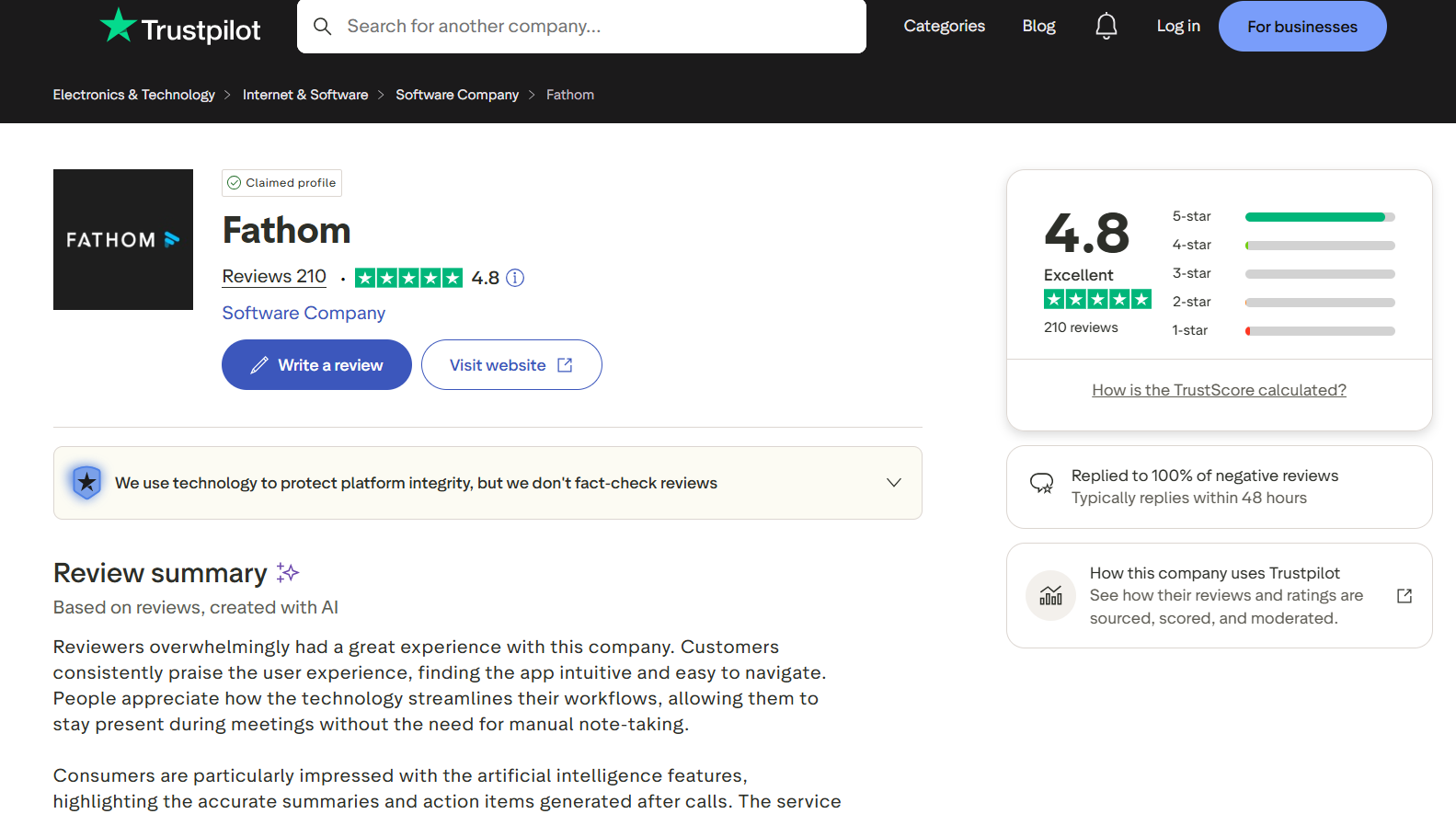
Similarly, Fathom also has hundreds of positive feedbacks and reviews from customers and they have maintained 4.8/5 on Trustpilot. Users have praised Fathom for its free plan and various other features. However, we found only few negative feedbacks pertaining to AI inaccuracy, privacy issues i.e. recording without consent, and Business AI integration support.
Final Verdict: To Buy or Not To Buy
We recommend Fathom, if you are planning to use it for free. For 90% of individuals users, Fathom’s Free tier is the best value-for-money tool in the AI meeting space in 2026.
Only buy the Premium version if you are a Sales Manager who needs to sync data directly to a CRM or use AI scorecards for coaching.
FAQs
Does Fathom work for in-person meetings?
Not natively. Unlike Otter.ai, Fathom is built specifically for virtual meeting platforms (Zoom/Teams/Google Meet).
Will the People in my meeting know I am using Fathom?
Yes. For legal and ethical reasons, Fathom notifies participants that the meeting is being recording, either through a both or small notification window.
Can I download my transcripts?
Yes, Fathom allows you to export transcript and summaries to PDF, Doc, or directly to platforms like Notion even on the free plan.
You May Like To Read:
